
Cómo construí Syntable: De la idea en Figma a la App Store de AppleHow I built Syntable: From Figma mockup to Apple App Store
Un vistazo técnico a los aprendizajes, decisiones de arquitectura móvil con SwiftUI y flujos de IA al lanzar Syntable en iOS.A technical look at lessons learned, SwiftUI mobile architecture, and AI workflows when launching Syntable on iOS.

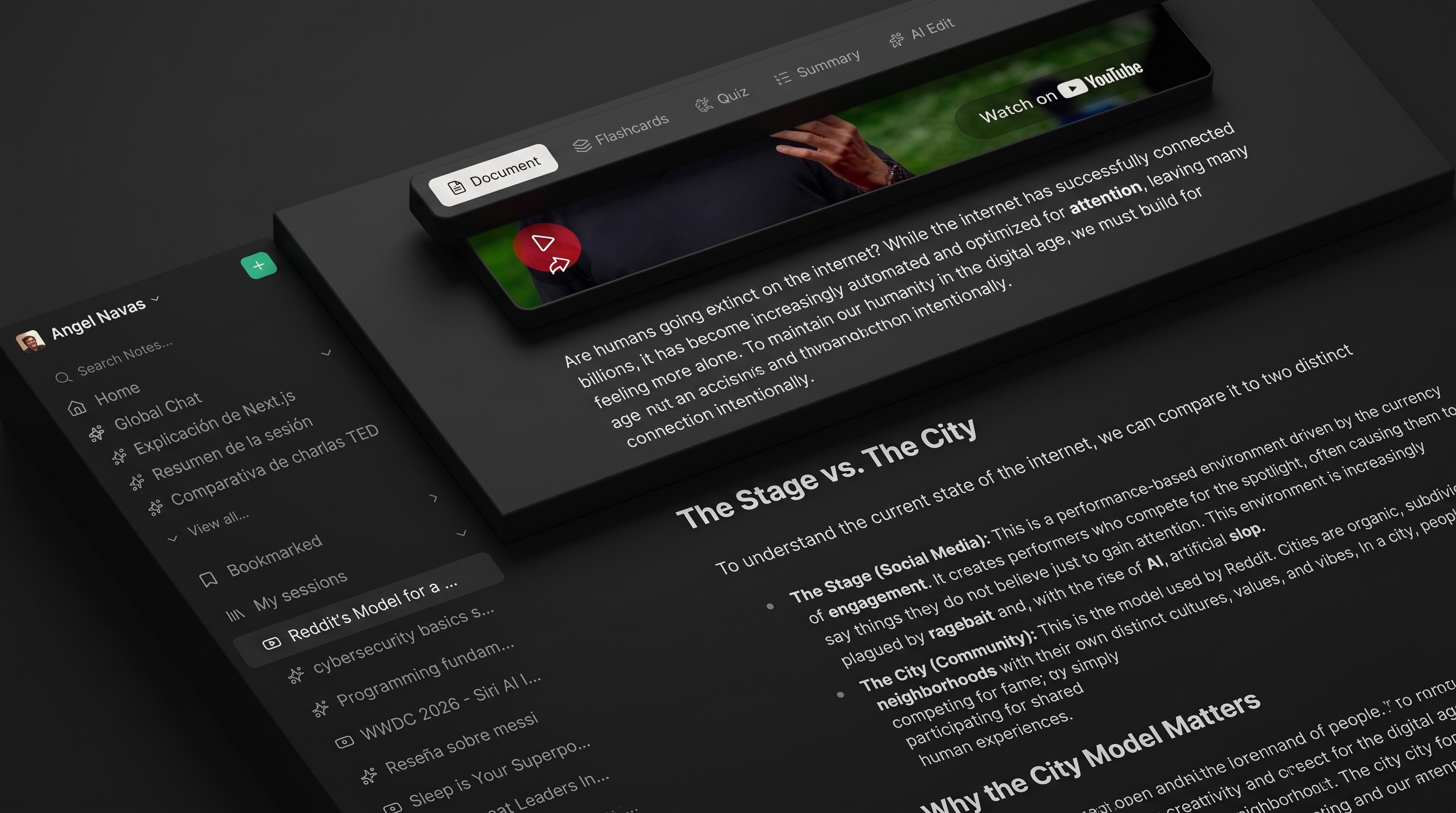
Diseñando una experiencia de aprendizaje nativa para iPhone
Lanzar Syntable en la App Store representó uno de los desafíos más apasionantes de mi trayectoria reciente. El objetivo principal era llevar la potencia de la estructuración de conocimiento asistida por IA a una experiencia fluida e intuitiva en la palma de la mano.
Decisiones Clave de Arquitectura
-
Interfaz Nativa con SwiftUI: Priorizamos el rendimiento táctil y las animaciones fluidas utilizando SwiftUI nativo en iOS.
-
Integración de Modelos de Lenguaje: Procesamiento en tiempo real de documentos PDF y audio transformados en resúmenes interactivos.
Designing a native learning experience for iPhone
Launching Syntable on the App Store was one of the most exciting challenges of my recent work. The goal was to bring AI-assisted knowledge structuring into a fluid mobile experience.
Key Architecture Choices
-
Native SwiftUI User Interface: Prioritizing touch performance and fluid animations using native SwiftUI on iOS.
-
Language Model Integration: Real-time processing of PDF documents and audio transformed into structured summaries.